How much of a cat can you keep in 100 triangles?
The ears have to read as ears. The legs need space between them. The tail has to leave the body in the right place. Every extra triangle spent on one of those decisions is a triangle you cannot spend somewhere else.
For Image 2 Low Poly, I gave Fable 5.2 and Opus 5.5 one reference image and four hard budgets: 100, 200, 500 and 1000 triangles. They rebuilt the subject in Blender, with every final count exact. The result is an open-source skill and worked case, including the four editable meshes, build scripts and measurements.
Give every triangle a job
The reference is a single orange-tabby image generated once with MiniMax H3 Image. It stays fixed throughout the run. The reconstruction itself runs locally, without a model API: camera fitting, proxy construction, mesh editing, optimization and Blender rendering.
Each budget gets its own allocation. A coarse torso might be enough to preserve the outline, leaving more triangles for the ears or the gaps between the legs. At a larger budget, facial features can receive actual geometry. Flat face materials supply color, but texture maps cannot conceal a missing shape; the comparisons use grey clay and silhouettes.
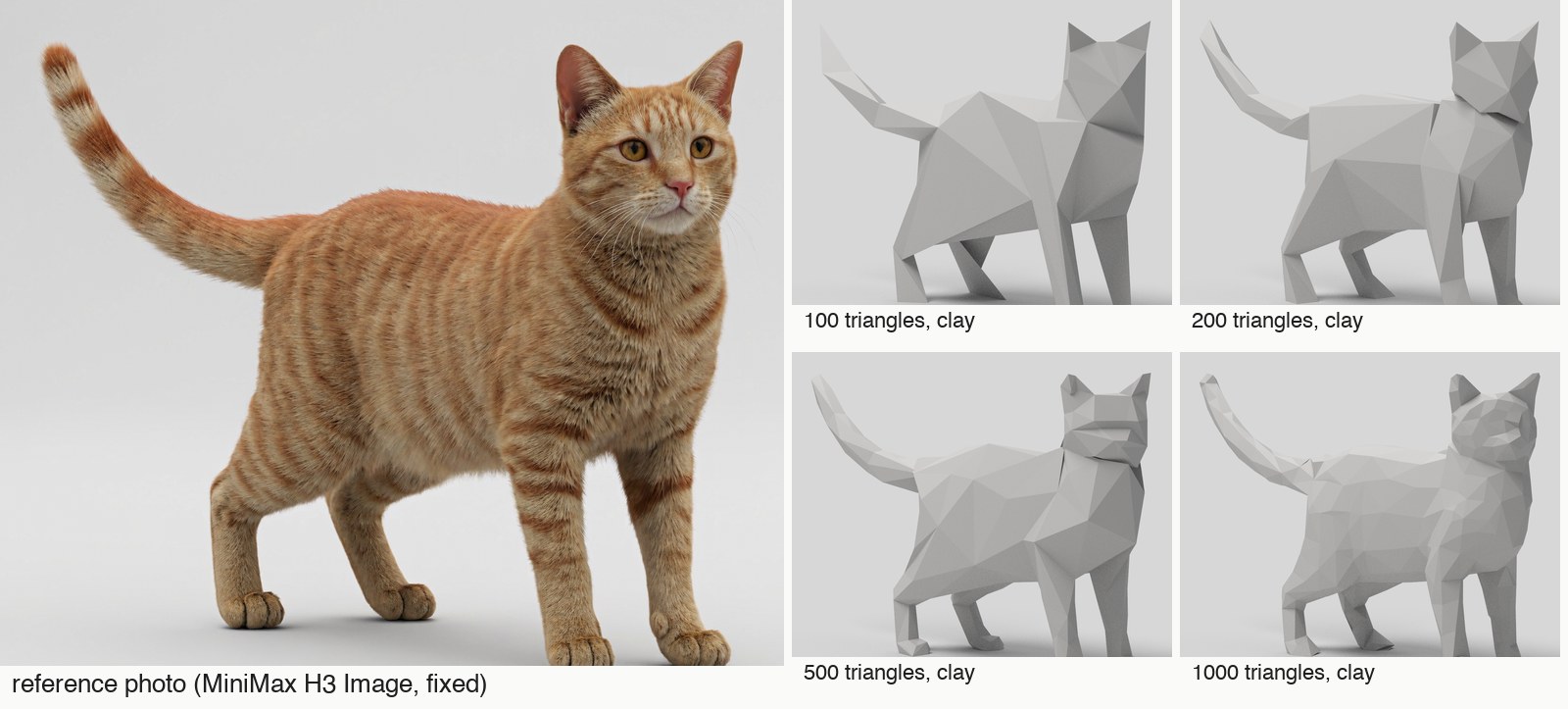
This makes low-poly modeling an allocation problem. The interesting question is where a small number of faces make the biggest difference to the subject's identity.
Lock the target before measuring the result
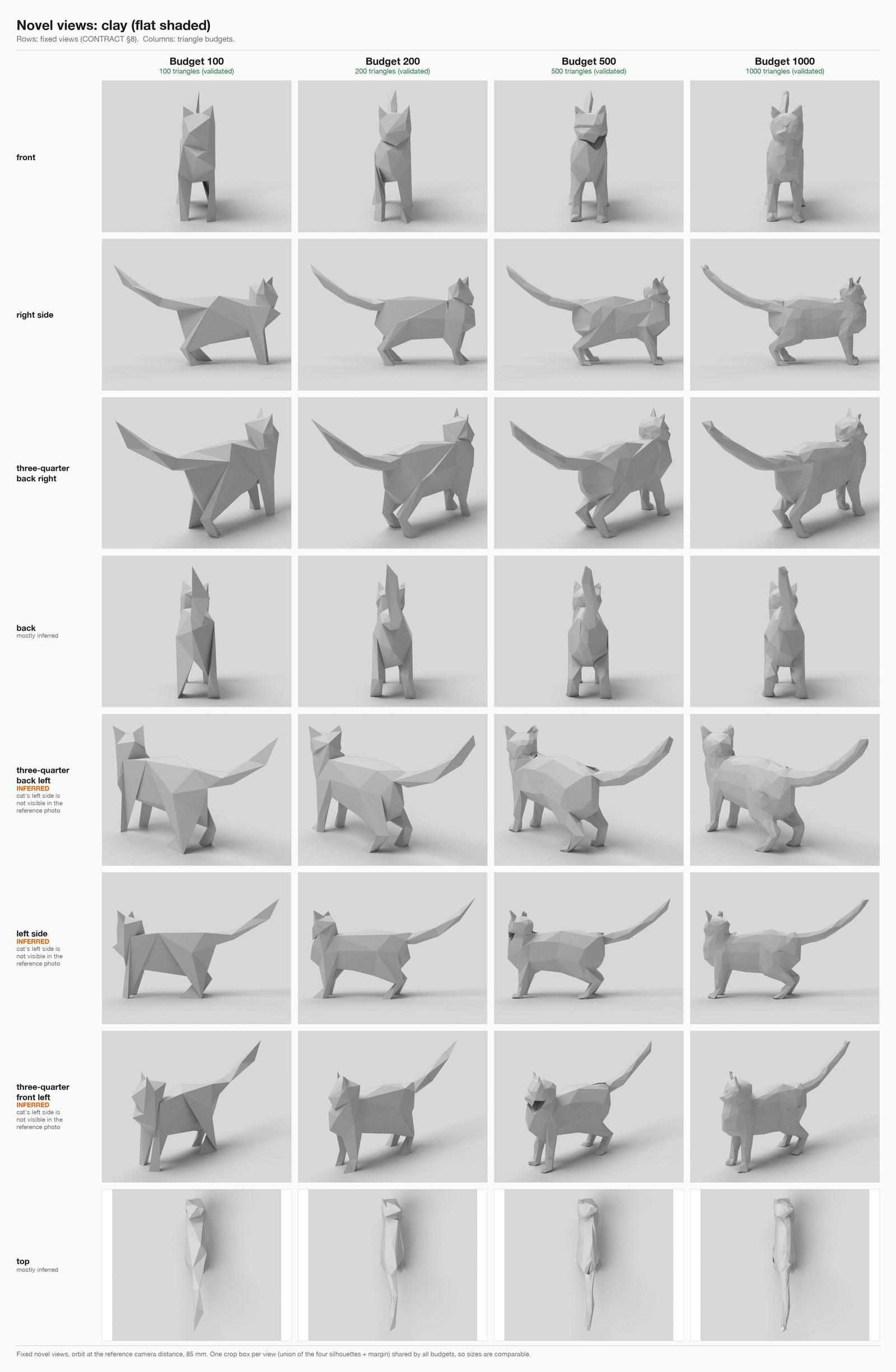
One photograph does not reveal a complete solid. The back, body width and depth of the head have to be inferred.
The workflow fits a parametric proxy and the camera jointly against the image's mask and landmarks. It then locks the camera and uses the same inferred solid for every budget. The photo, mask, landmarks and evaluation regions are hashed so the target cannot quietly change between iterations.
That consistency matters. Changing the camera to flatter each mesh would make the four budgets difficult to compare. Changing a mask to accommodate a bad ear would improve the score without improving the ear.
The proxy also creates a shared limitation. Here its torso fit settled too narrow, so all four bodies look thin from the front. A good match to the photographed outline does not validate that hidden width.
Count the exported model too
A polygon count in a viewport is not enough. Quads split into triangles; modifiers can add geometry; another object can sit outside the camera.
The toolkit checks four representations: the triangle list in the mesh JSON, every evaluated object in the Blender file, the GLB imported into an empty scene, and the GLB parsed directly. The delivered meshes are ordinary single-object files without modifiers. All four counts agree at each budget.
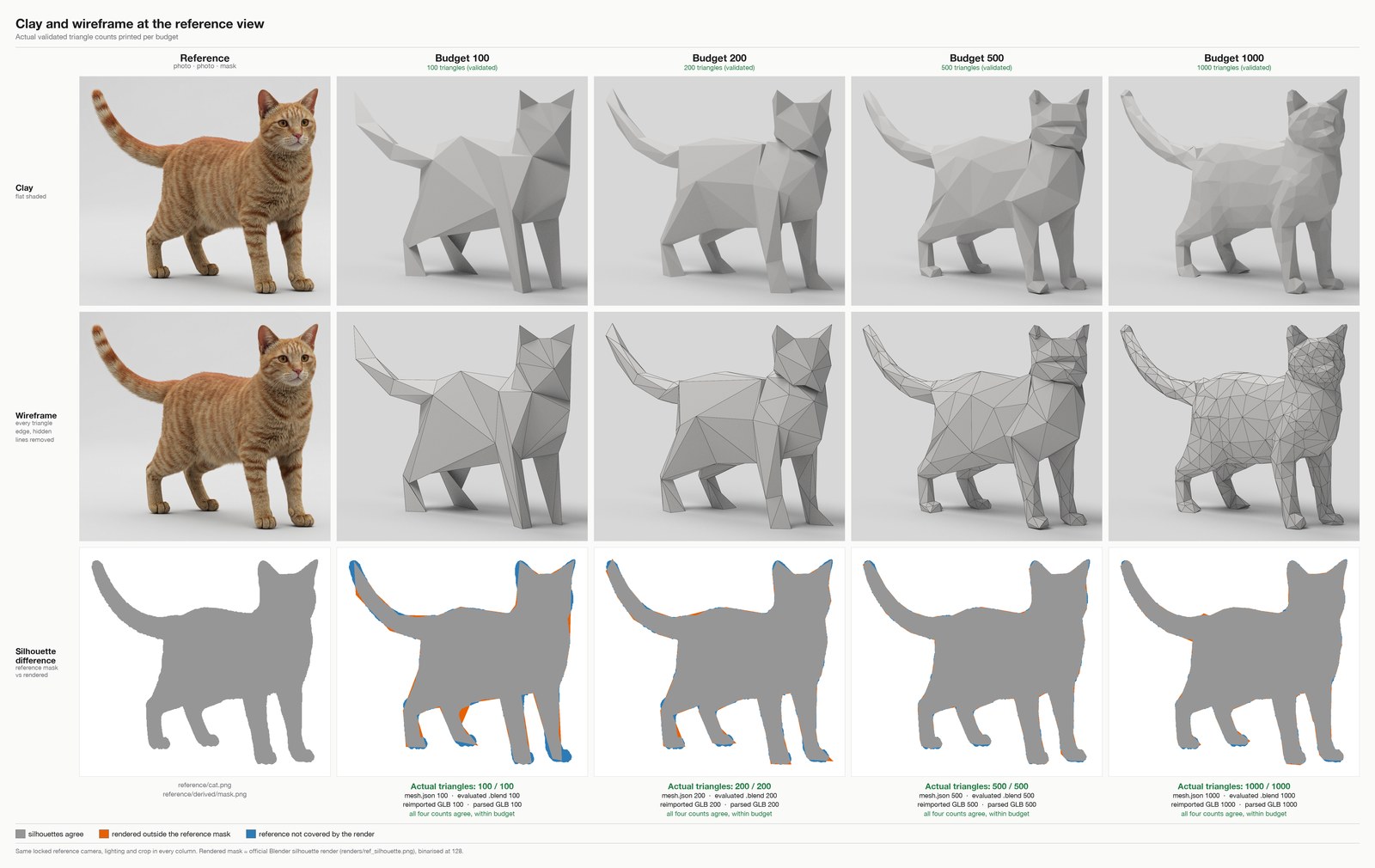
Geometry checks also look for degenerate or duplicate triangles and other ways of satisfying a camera view with an invalid shortcut. The point is to deliver the stated geometry budget in the actual asset someone opens later.
Compare against a simpler method
Hand-designed topology needs a control. Otherwise, a convincing result might simply be something Blender's Decimate modifier could have produced.
Every budget is compared with decimation of the same proxy, both before and after the shared vertex optimizer. Giving the control the same refinement step makes it a much stronger comparison.
Through the locked reference camera, the final silhouette-overlap scores are 0.943, 0.972, 0.983 and 0.984 for 100, 200, 500 and 1000 triangles respectively. Silhouette IoU measures the overlap of two masks; it is not an overall percentage of 3D accuracy.
At 100 and 200 triangles, the designed meshes lead the refined-decimation control on outline overlap, boundary distance and landmark error. At 500 and 1000, their outline scores are effectively tied. The control does better on some other measurements, including facial landmarks at 500 and leg gaps at 1000. Most of the numerical improvement comes from the optimizer both methods share.
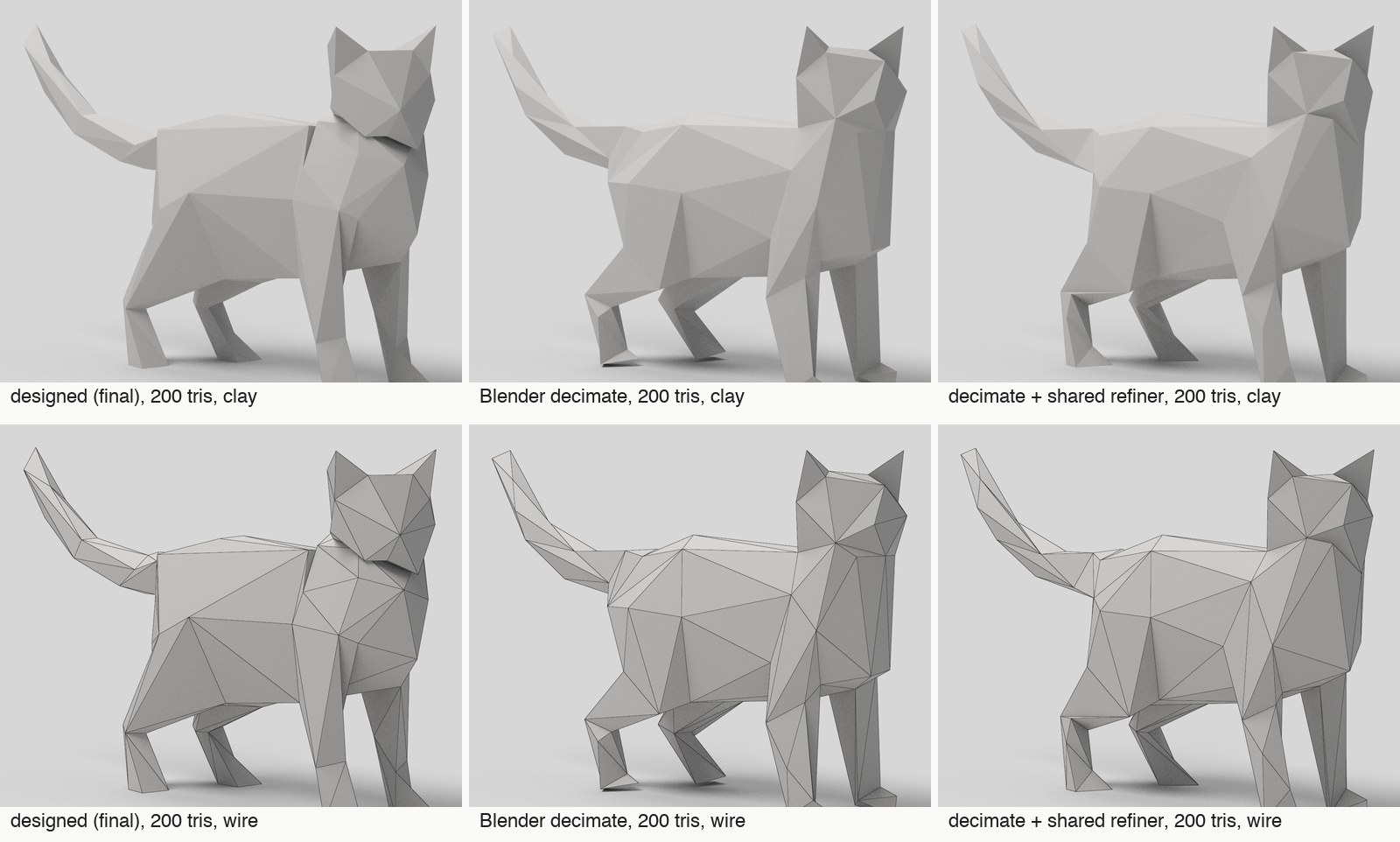
The detailed metrics and case notes keep those distinctions visible. Readable parts and a good score are related, but neither guarantees the other.
The outline can improve while the face gets worse
The first builds used closed parts pushed through one another. That spent triangles inside the body and left obvious joins. Rebuilding the meshes as welded surfaces improved the bodies and removed most of the buried geometry.
The faces were harder. Pulling vertices toward eye and nose landmarks could fold a face inward even as the numbers improved. The accepted 500-triangle mesh still has 95 self-intersecting triangle pairs around welded junctions. A closed surface is not automatically a clean surface.
Mesh iteration stopped when I accepted the current forms. The repository includes unfinished head-kit checkpoints, but the delivered finals retain their original heads. They are inspectable results of this run, with remaining work visible.
Try the workflow
Install the skill for a supported coding agent:
npx skills add gokayfem/image-to-lowpolyThe repository includes the cat reference, fixed camera, proxy, four final GLB and Blender files, allocation notes and evaluation tools. Python dependencies and Blender 5.2+ are documented there; ffmpeg is used for the films.
The demonstrated case is one cat. The current proxy and fitter are cat-shaped quadruped templates, so another kind of subject needs a suitable proxy. The counting and evaluation tools are more general than that template.
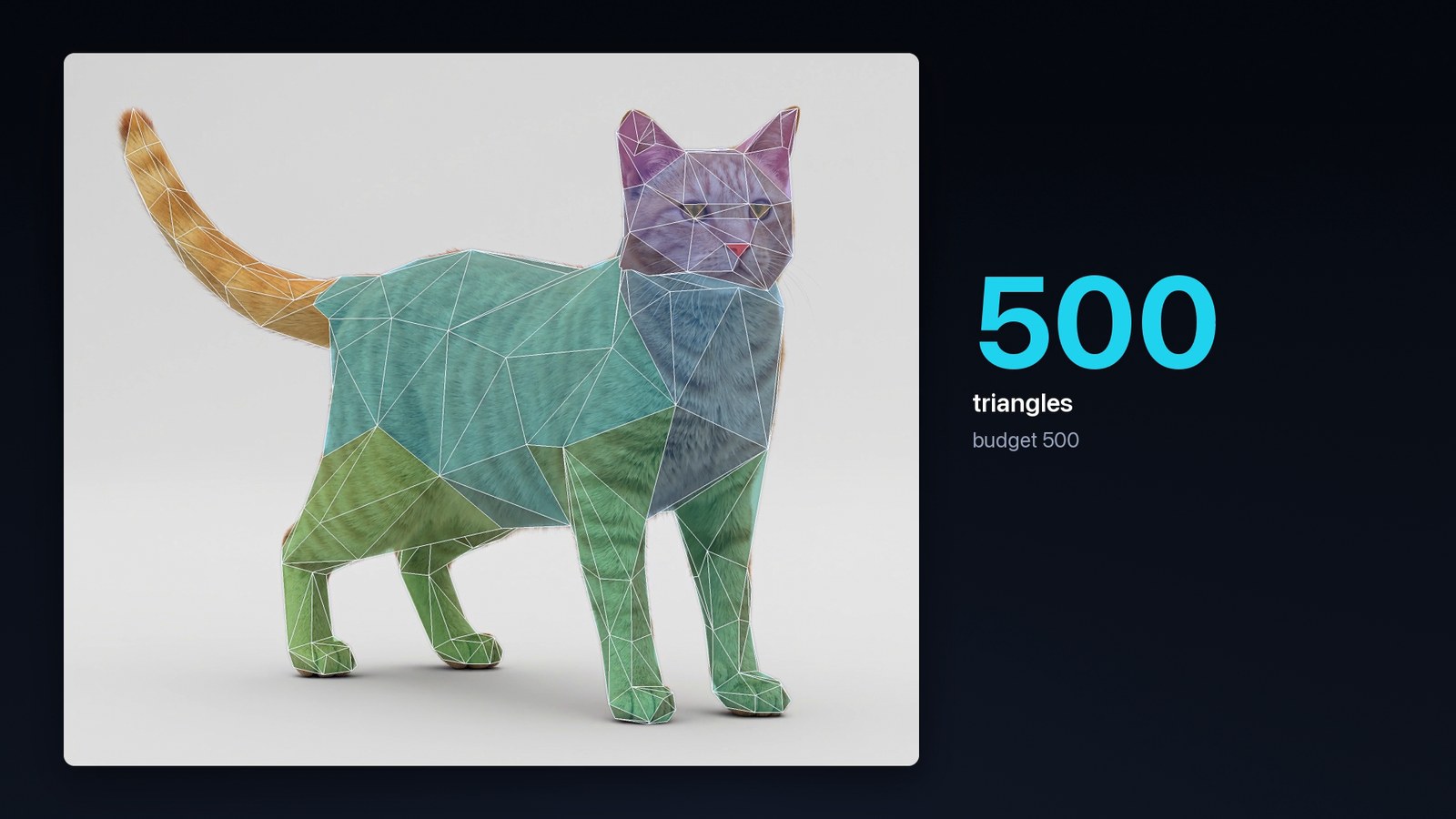
I like this experiment because the constraint is easy to understand and impossible to hide from. There are only so many triangles. You can open the asset, count them, turn it around and see which decisions were worth the budget.