One image gives you a character's face, posture and proportions. It says very little about the other side of its head.
That gap is where image-to-3D gets interesting. A model can look convincing from a new angle while quietly losing the thing that made the original image recognizable. I wanted a sculpting process where I could see what the agent was doing, compare the result with the reference, and keep working on the shape.
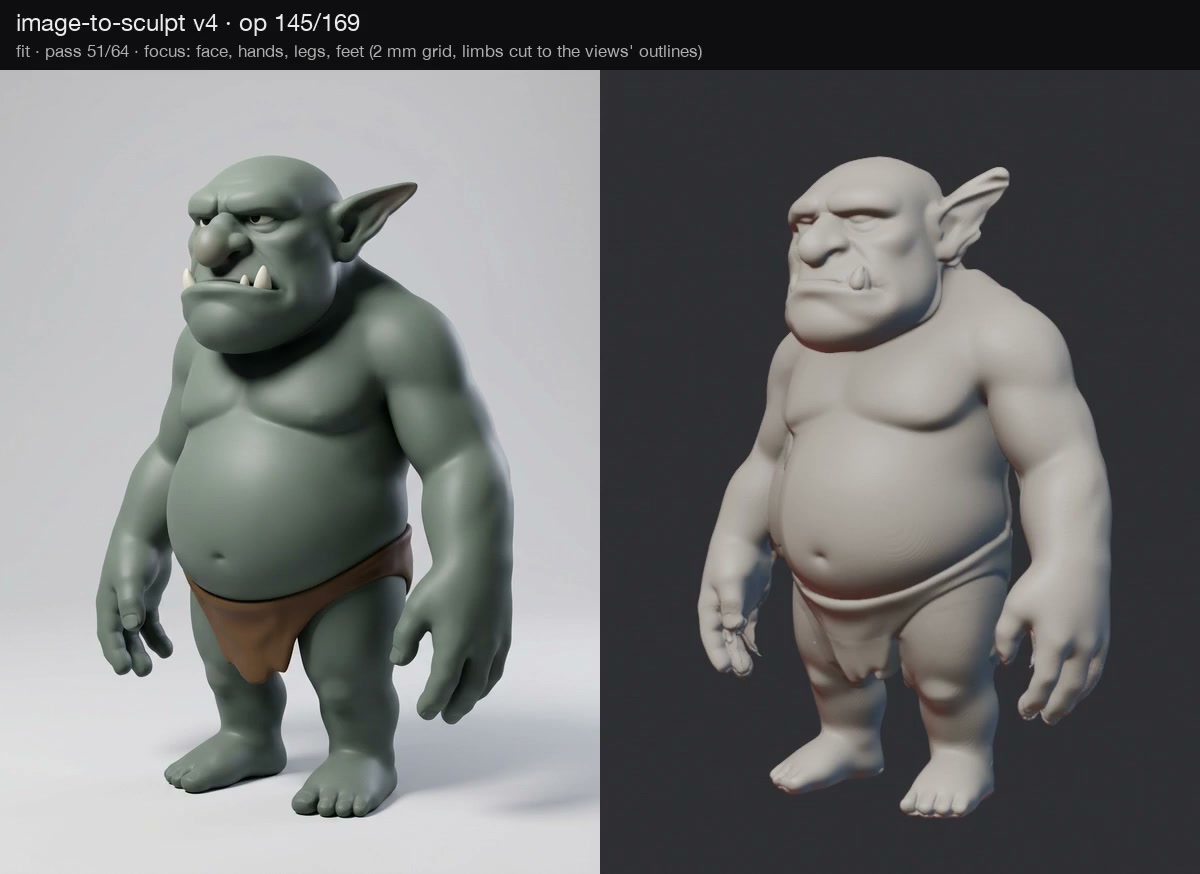
The experiment started with Claude Opus 5.5 sculpting a character from an image. I shared the build as a timelapse, then released Image 2 Sculpt: an open-source skill and toolkit for coding agents that turns the picture into a measured sculpt and records the work along the way.
The picture should keep a vote
Look at the character in the demo. The belly, brow, jaw and ears carry most of its identity. A rounded body with pointed ears would be a reasonable interpretation, but it would miss the specific character.
The toolkit breaks the image into constraints the agent can work with. A foreground mask describes the outline. A depth estimate describes how visible surfaces sit relative to the camera. A normal map describes which way those surfaces face. MoGe provides the depth and a focal-length estimate; Marigold provides normals. A transparent input can supply its own mask, while BiRefNet or a text-guided SAM-3 selection can isolate a subject.
Those estimates are imperfect. They still give the fitting process something more concrete than an instruction to make the mesh look better. Where the input image sees a surface, its evidence governs the fit.
The unseen side is a hypothesis
A single picture cannot establish the real geometry behind the subject. Generated side and rear views can propose that geometry, but they bring their own mistakes.
One particularly useful lesson was that asking for an angle does not mean receiving it. In the first development case, views requested at +45°, +90° and −90° were actually around +20°, −115° and +35°. Treating those labels as camera measurements would carve the wrong shape.
Image 2 Sculpt searches for each view's camera instead. It handles left/right swaps while keeping front and back distinct, then screens views for agreement. A changed pose or an extra limb should not be allowed to cut valid volume from the other views.
The default view set also includes a held-out view. Its camera is frozen before fitting, and that view never moves the surface. Comparing the finished sculpt against it offers a separate check on a view the fit did not optimize. Because generated views are still hypotheses, agreement with them is evidence of consistency, not proof that an unseen physical back has been recovered.
Make the build inspectable
The shape starts as a volume carved from the registered outlines. Fitting then proceeds through broad forms, surface refinement, detail and polish. Outline, depth and normal constraints influence the passes; subjects with a mirror plane can use symmetry too.
Open spaces matter. The gap between an arm and the torso is part of the character's silhouette, and a thin web joining them can survive an otherwise convincing fit. The toolkit includes silhouette cuts and an opening operation to remove those connections. It re-establishes the signed distance field after operations so successive edits do not accumulate into obvious voxel artifacts.
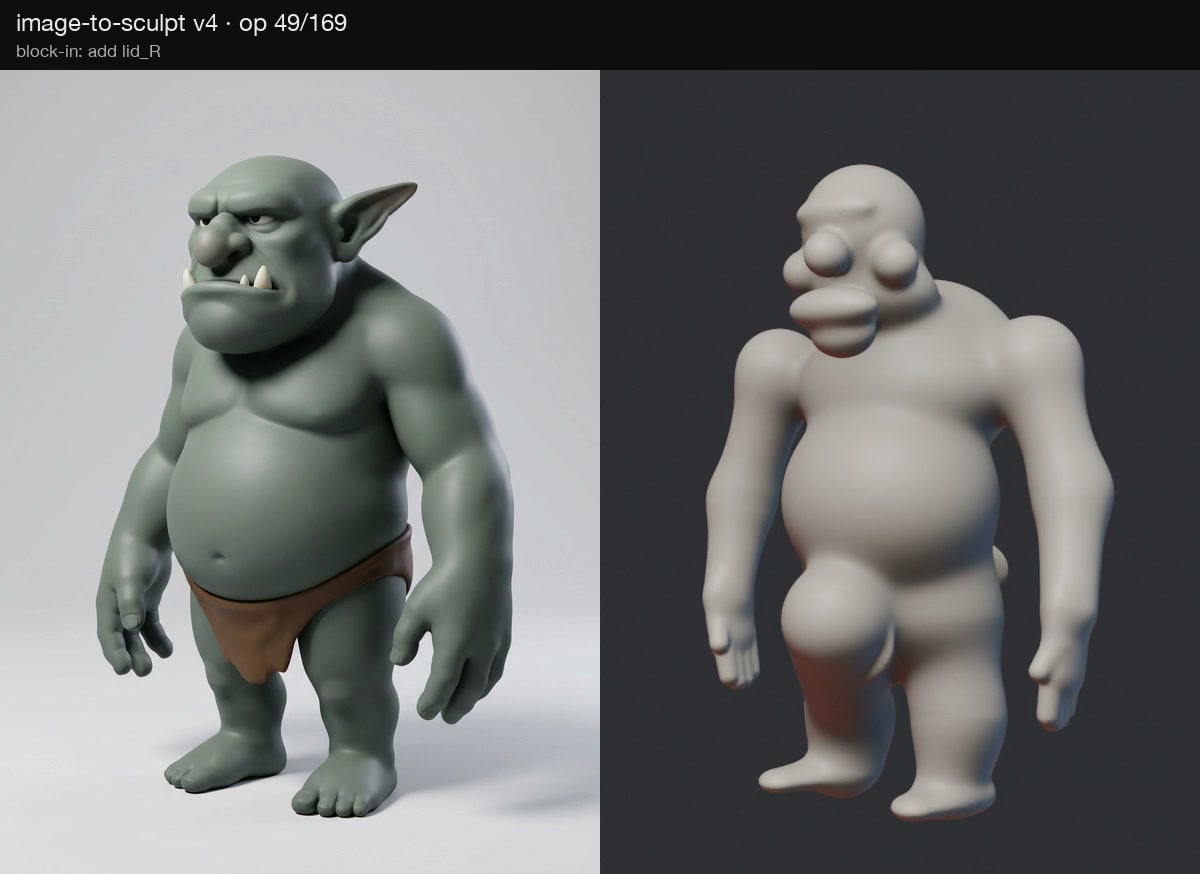
Each recorded step becomes part of the Blender replay. The deliverables include a timelapse, a turntable, views from the reference cameras and a Blender file with the input image as a camera background. GLB, OBJ and STL exports make the surface available outside that scene.
That record is useful when the fit is wrong. You can look for the pass where a cheek flattened or a gap closed, then revisit the constraints that caused it.
Check the things you can actually measure
The review separates silhouette overlap, outline distance, normal angles, surface roughness and input-image depth. A single similarity score would hide too much: matching the outline does not guarantee a good face, and matching the front does not guarantee a plausible side.
The repository also tests the machinery on synthetic subjects with known geometry. Those tests cover projection, distance fields, camera registration and an end-to-end case with noisy normals and an inconsistent view. They give the algorithm a reference answer that a single concept image cannot provide. The verification details explain the scope of those checks.
Try it on your own image
Install the skill for a supported coding agent:
npx skills add gokayfem/image-to-sculptThen give the agent your image and ask it to build a sculpt, show the map comparisons and deliver the Blender replay. The repository documents Python dependencies, Blender 5.2+, ffmpeg and the optional fal setup for preparing maps and generated views. You can also supply your own views; a cut-out image can take a more limited front-only path without API calls.
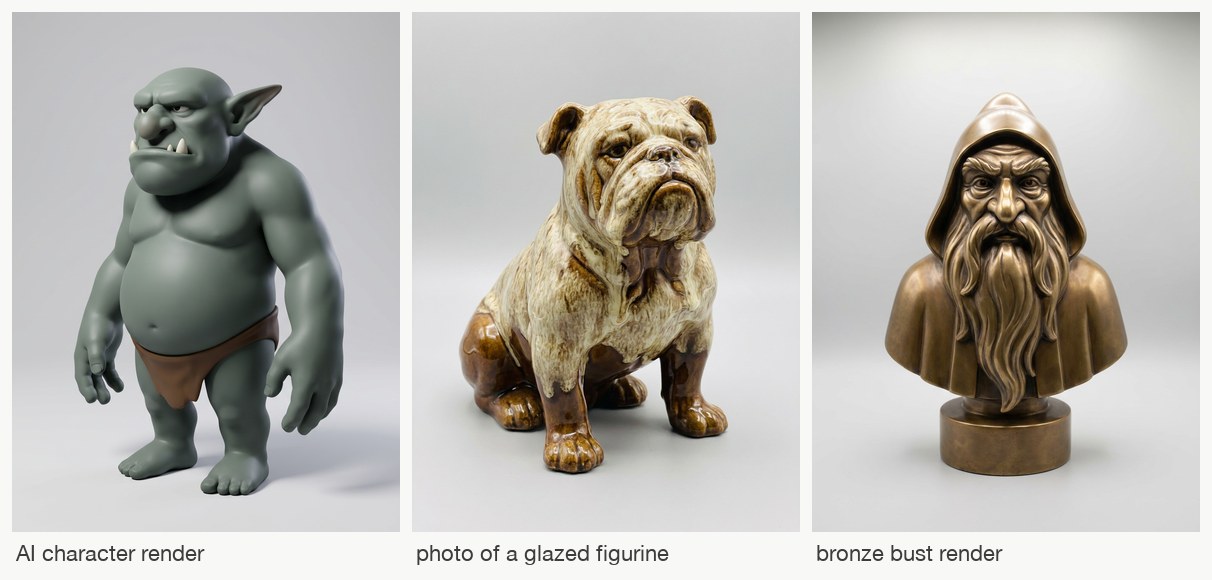
The current scope is individual subjects such as characters, figurines and products. Rooms, transparent objects and hair-thin structures need different treatment. A drawing can first be restyled into a volume-bearing reference, but that introduces another interpretation to review.
What interests me here is the possibility of watching an agent learn the shape through its edits. The final mesh matters. So does being able to open the scene, examine the evidence and decide what should change next.