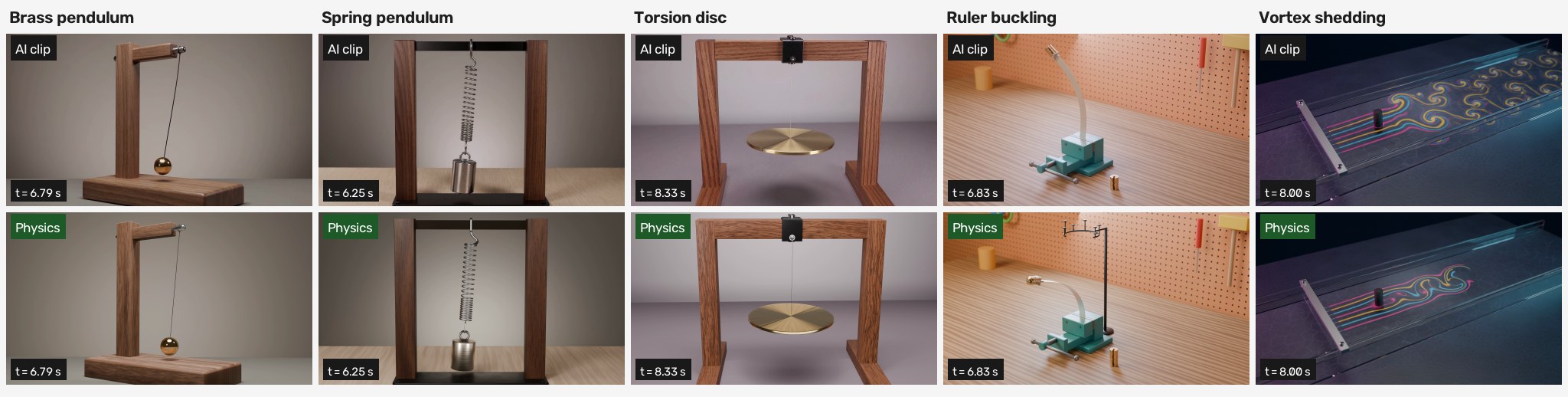
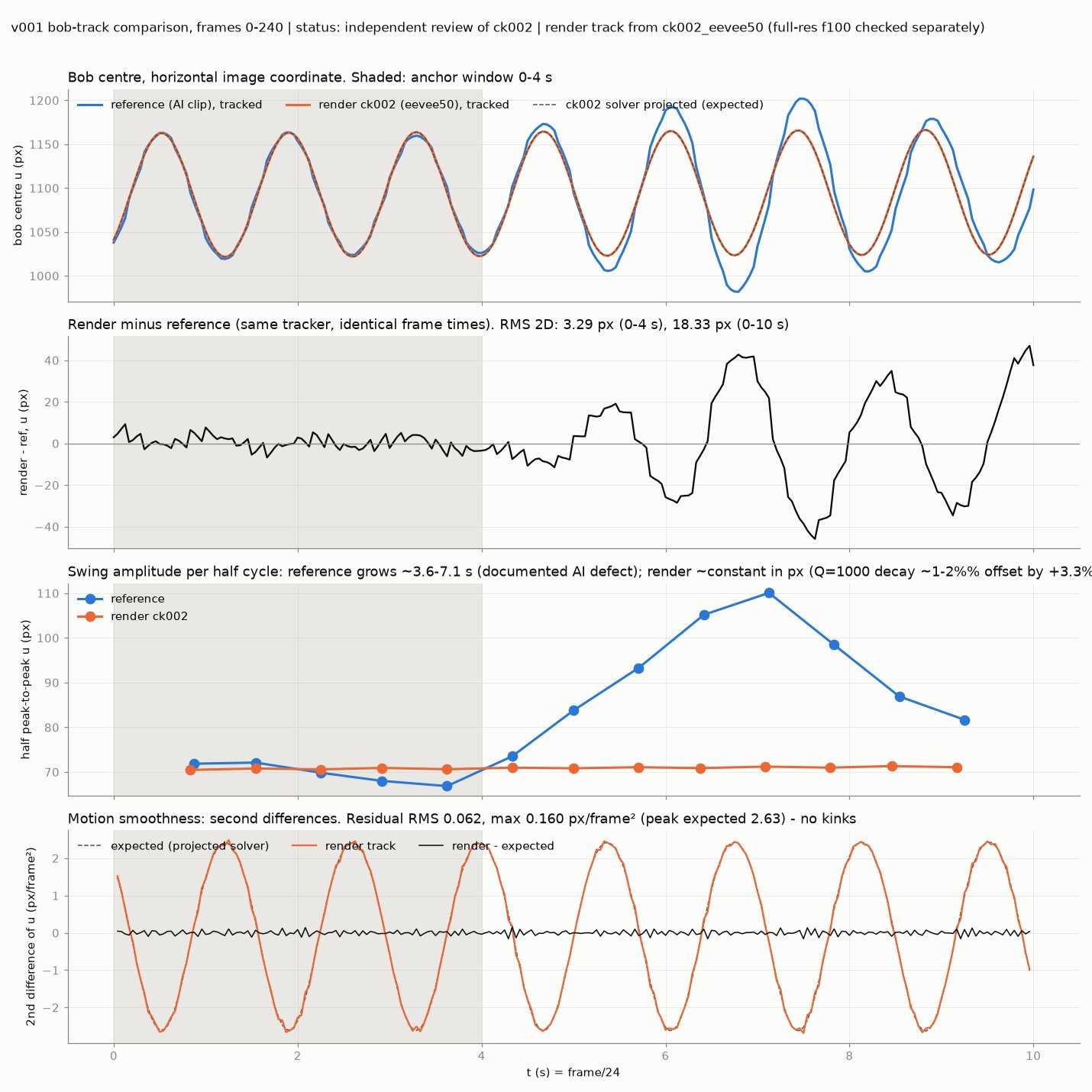
Four seconds into the clip, a brass pendulum starts swinging wider. By the end, its amplitude has grown by 62%. Nothing is pushing it. The brass, the wood and the lighting are convincing; the motion quietly creates energy.
I gave Claude Opus 5.5 that clip and four more, and asked it to rebuild the motion from physics. It had to measure what the videos actually showed, choose a physical model, solve it, check the result independently, and render it back into the scene. Every reconstruction had to leave behind evidence that explained why it moved that way.
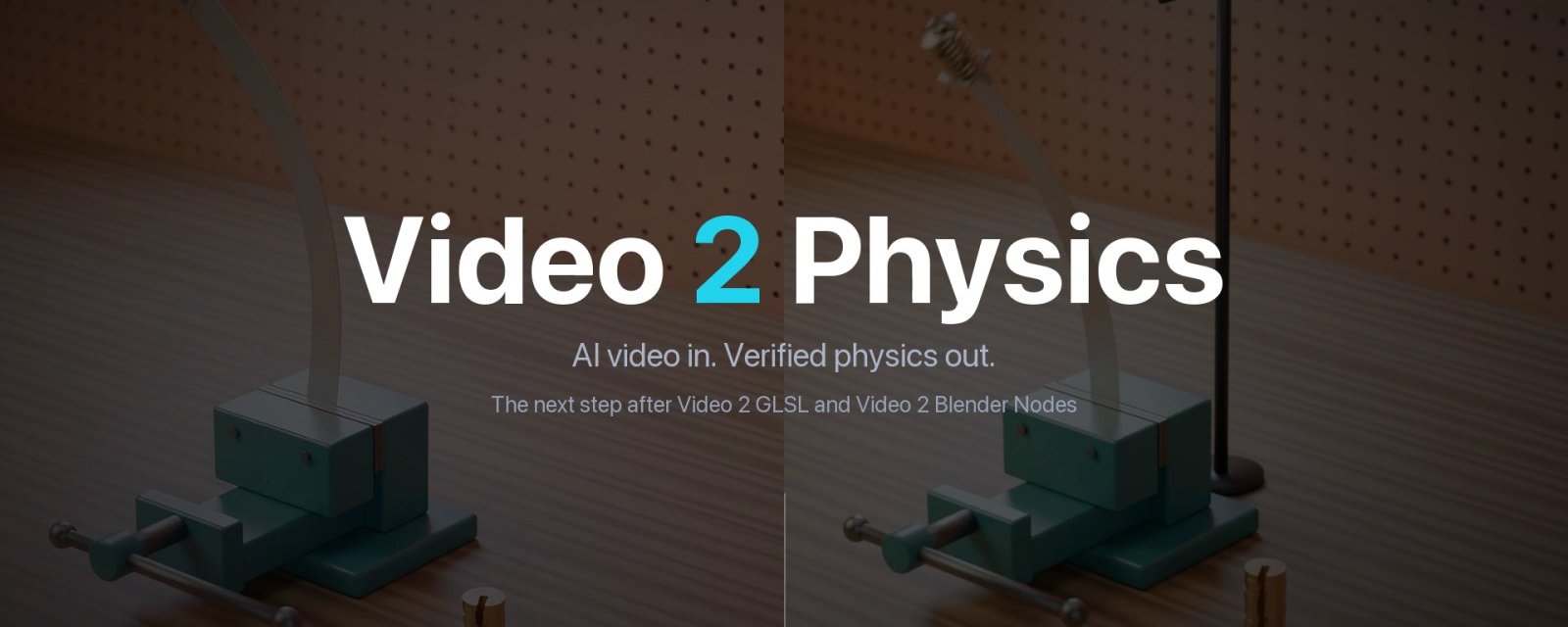
The result is Video 2 Physics, an open-source skill for coding agents. It connects reference analysis, numerical simulation and Blender through a repeatable workflow. The five worked examples cover a brass pendulum, a spring pendulum, a torsion disc, a buckling steel ruler and dye flowing around a cylinder.
The first job is to separate object motion from the way it was filmed. A camera moving closer can make a swing look larger. An orbit can change the apparent angle of a rotating disc. The workflow measures the camera, tracks the objects and records uncertainty before choosing equations. In the torsion example, the supposedly fixed camera actually orbits about 23 degrees around the stand.
It also has to recognise the system on screen. The spring prompt asked for a vertical bounce, but the generated weight swung sideways. That became an elastic pendulum with a rocking weight, modelled with five degrees of freedom. The torsion disc made more than a full turn, which initially looks suspicious. Its rotation was largely consistent with part of a slow torsional oscillation; the clearer defects were in its sway, tilt and later slowdown. Measurement determines what needs correcting.
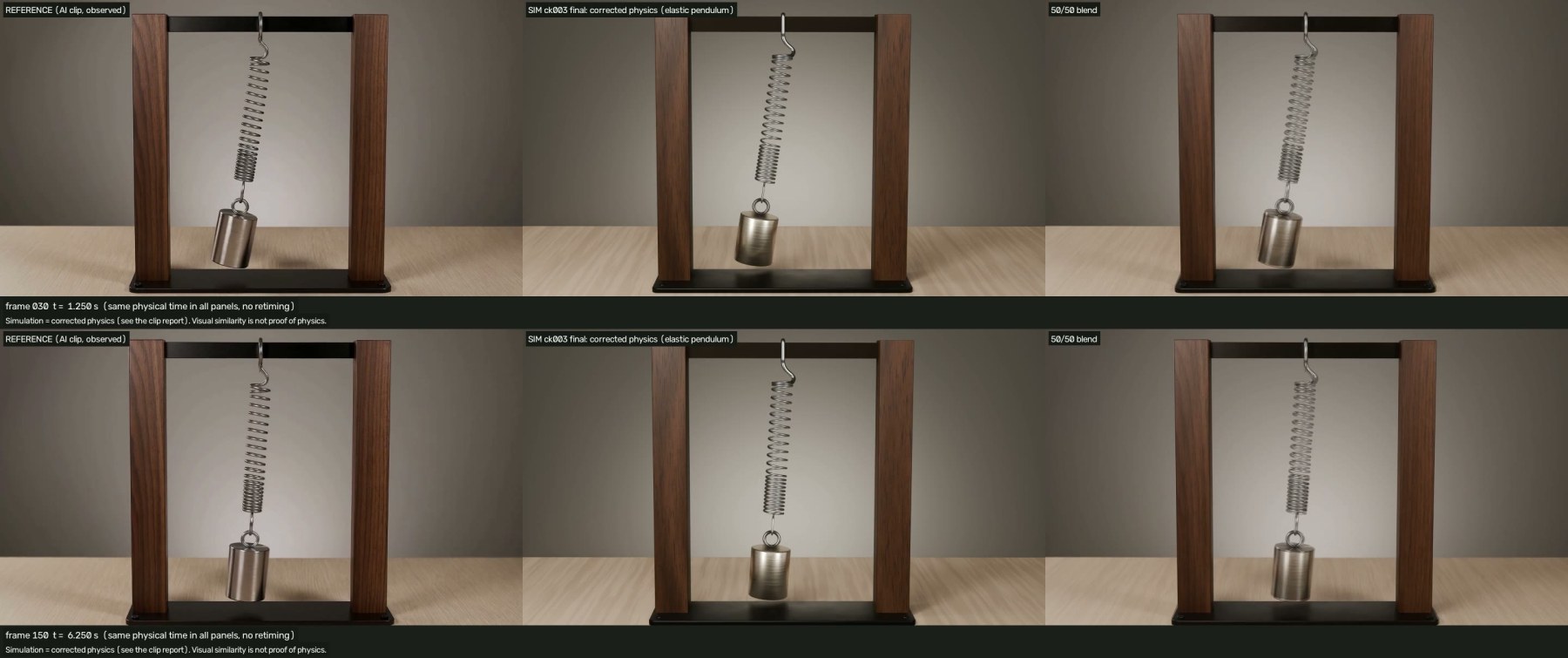
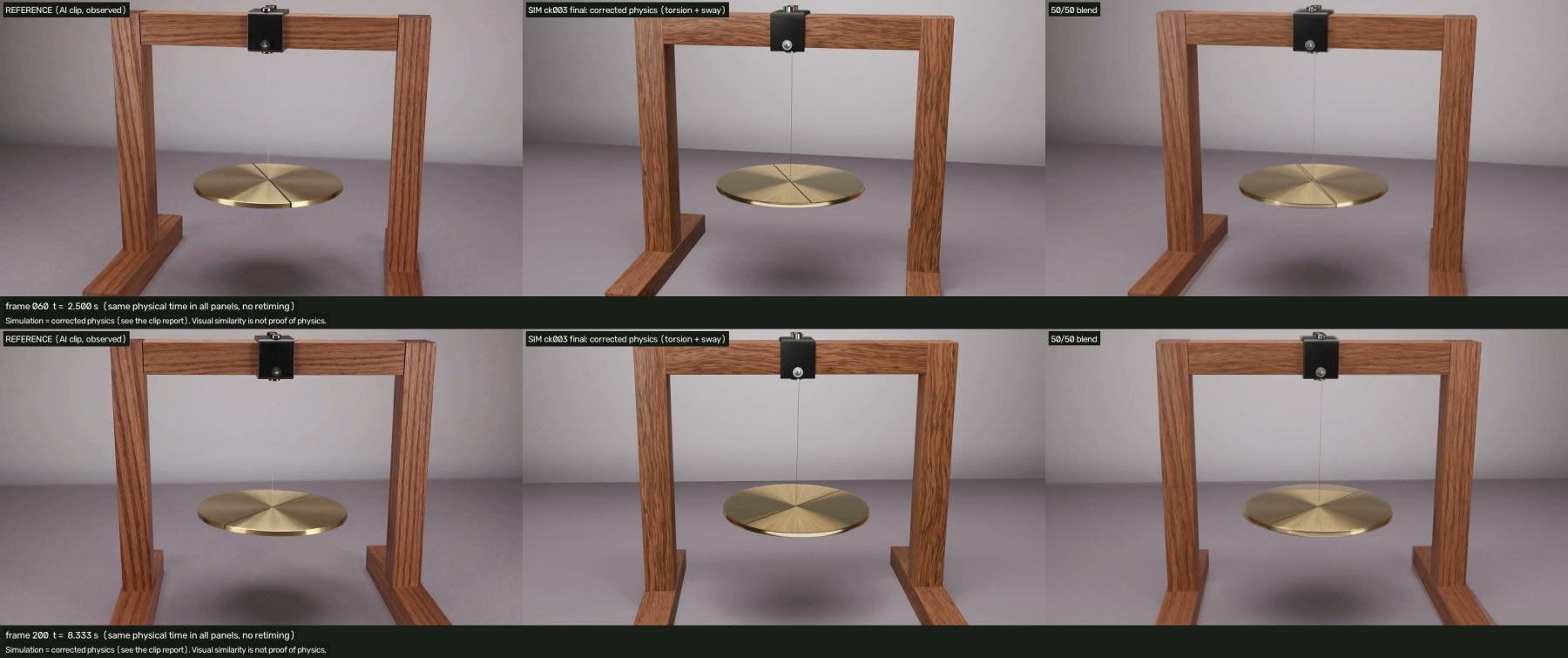
A clip cannot tell you every material property or physical dimension. Each parameter therefore carries its origin: measured, declared, assumed, fitted or inferred under a particular model. In the spring example, the footage does not identify the stiffness because it shows no useful vertical oscillation. That value remains an assumption. Writing down a precise number does not make it a measurement.
Where the opening motion is usable, it anchors the model. The rule for selecting that window is declared before fitting, and the simulation then runs forward with the chosen parameters. For the brass pendulum, the opening four seconds provide the fit. Later, the solved motion pulls away from the video as the generated swing grows. That divergence is part of the result.
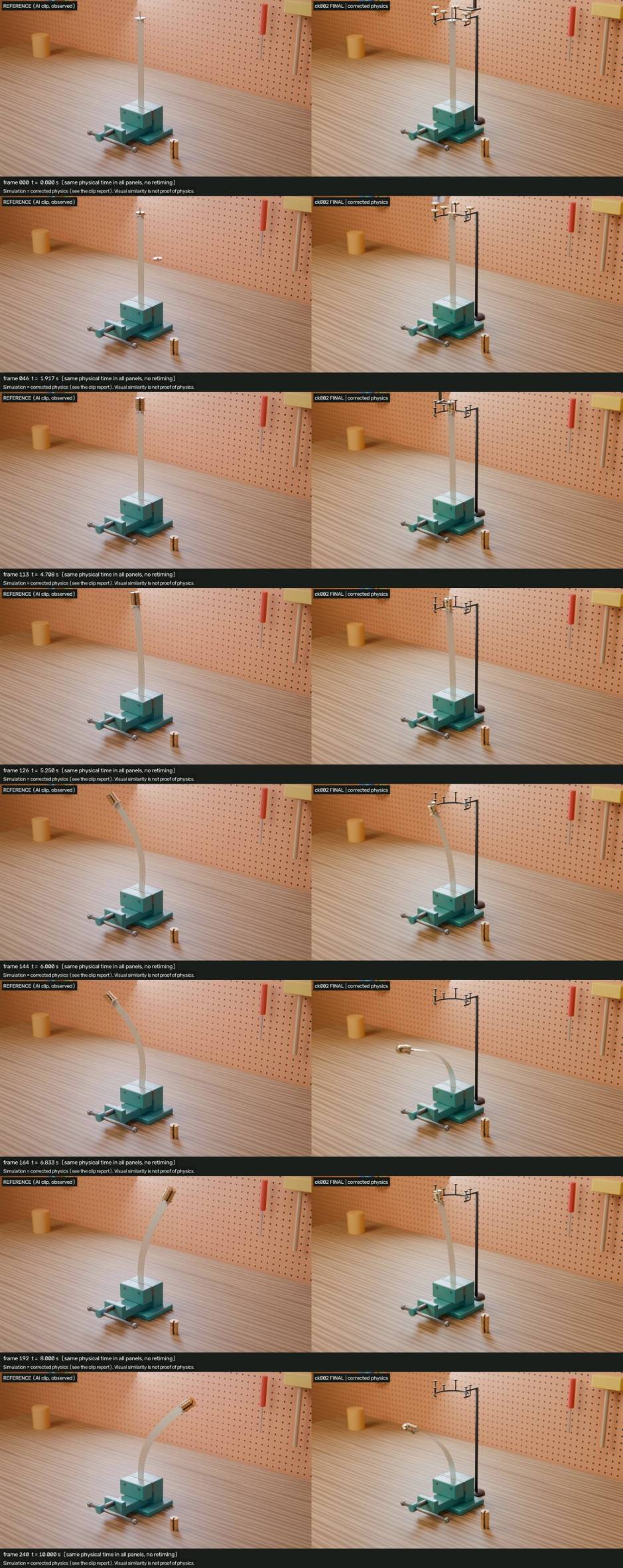
The ruler experiment makes the relationship between a model and an image especially tangible. A thin steel strip stands in a vise while 20 g brass weights are placed on a platform at its tip. The model includes the strip's own weight, the offset tip load and large bending. It predicts a critical load of 1.3576 N, reached while the seventh weight is being seated. The calculation uses declared geometry and material assumptions; nothing is fitted to the AI motion.
In the generated clip, weights appear in mid-air, the count jumps two at a time, and the bent strip later crosses to the other side under the same load. In the reconstruction, a pick-and-place arm carries each weight into position. The strip buckles and oscillates around its bent equilibrium. Its shape comes from the rod solution, and the transfer of every weight is checked too.
For the ruler and flow examples, I built the first frame in Blender and used it as the input to video generation. That establishes the scene geometry and camera before motion is introduced. It gives the comparison a shared starting point while leaving the generated motion open to scrutiny.
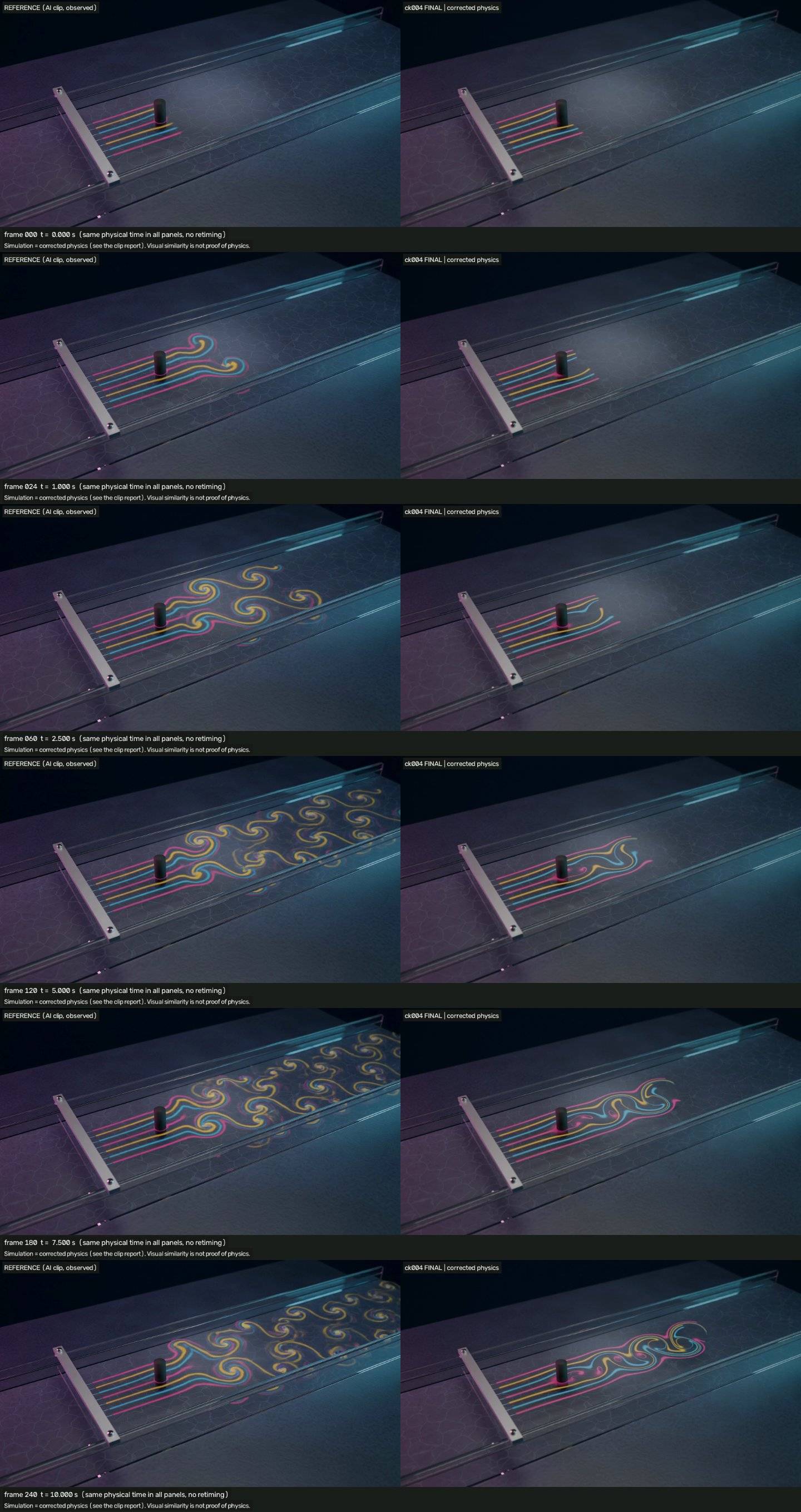
The flow example uses water passing a 10 mm cylinder at Reynolds number 150. Basilisk solves the two-dimensional incompressible Navier–Stokes equations. The wake sheds vortices at about 0.28 Hz; the generated clip sheds them at 0.89 Hz. The AI's wake also spreads too widely and carries the dye downstream too quickly. These are measurable differences in the behaviour of the scene.
The coloured streaks follow the solved velocity field. Dye is traced as material lines that stretch, thin and fade while accounting for its mass. This connects the visible effect to the fluid calculation: the colour is carried by the same flow whose shedding frequency and forces are being checked.
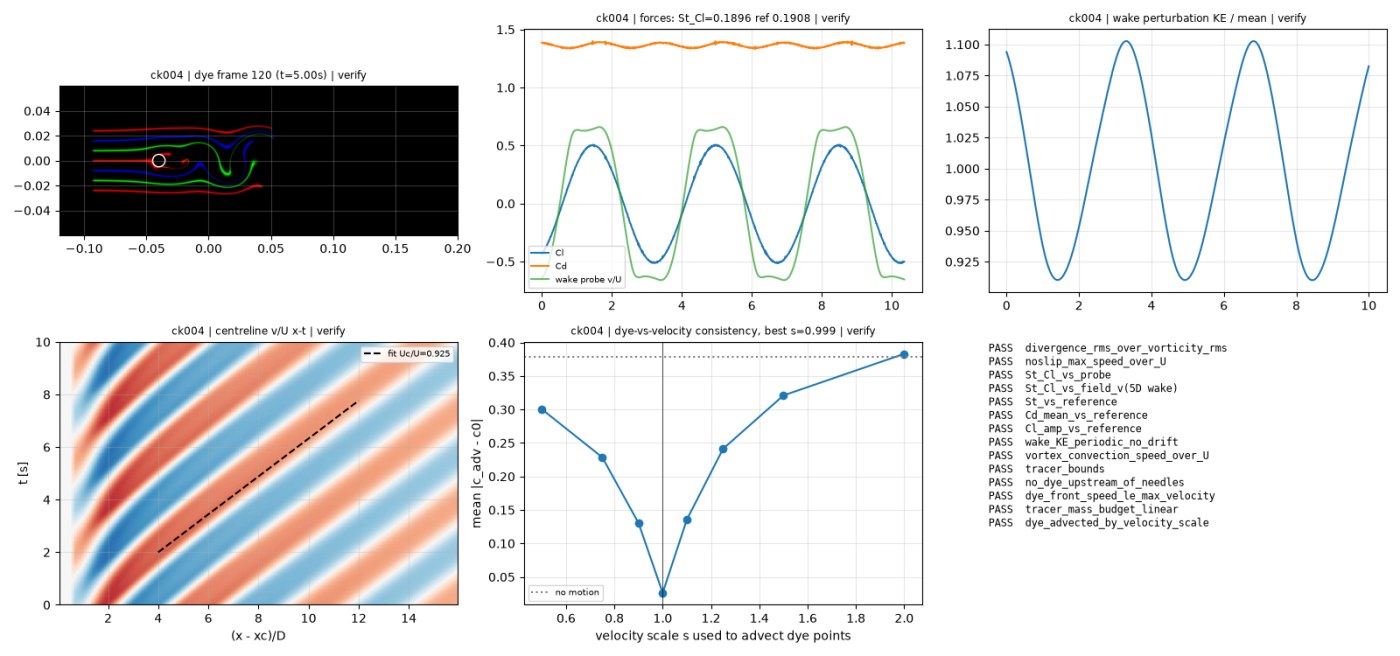
Verification is a separate job. The production CFD solver is checked by an independent finite-element implementation in FEniCSx, using Taylor–Hood elements. For the final flow audit, the shedding measure agrees within 0.6% and mean drag within 0.3%. The ruler has its own independent elastica verifier, and the oscillator cases use independently implemented integration methods. The verifier shares no solver code.
Those comparisons sit alongside established benchmarks, runs at multiple resolutions, energy and mass budgets, and checks on how the system responds when parameters change. The project also deliberately supplies incorrect inputs to test whether its checks can detect them. A verification process needs evidence that it can reject a bad result.
This caught a real problem during development. In an early spring checkpoint, a parameter-change test exposed a constraint drifting until the solver produced invalid numbers. Constraint projection and corrected starting conditions fixed it. The failure and the repair are recorded in the worked example. That is a useful outcome from testing: it changes the implementation before the render is accepted.
There is another boundary to check after the numerical solve. Blender can introduce interpolation errors or use the wrong cached data even when the solver output is correct. Trajectories, deformed meshes and dye sequences are baked into the scene, then compared against the evaluated Blender result at frames and subframes. The audit runs on saved checkpoints so the evidence refers to a specific build.
Reference and reconstruction are compared at the same physical time. Retiming one side would hide a period error. Matching a single attractive frame would miss a growing swing. Some reference-matching targets remain failed because the corrected simulation diverges from the generated footage. Those failures stay in the reports with their explanations; the tolerances are not quietly relaxed.
Visual review has its own role. It checks framing, attachment points, materials, motion blur and continuity across the shot. In the pendulum case, that review led to changes to the pin, loop, eyelet and shutter settings after the physics checks had passed. Numerical agreement and a convincing reconstruction both need attention.
Claude Code organised the work into measurement, formulation, solving, scene construction, independent verification and visual review. Shared units, coordinates and checkpoint files kept those responsibilities connected. The reusable skill also supports running the stages sequentially. The useful structure is the chain of evidence from a measured observation to an equation, from the equation to solver data, and from that data to the image.
What you keep is a Blender scene together with its model, parameters, solver, verification code and comparison report. You can change the pendulum length, alter the loading schedule or choose a different flow speed, then solve and bake a new result. Camera, lighting and material edits remain available in Blender. A physical change requires a new simulation; the cached animation represents the parameters that produced it.
The scope of the result matters. These examples establish consistency with declared, benchmarked models. Generated footage cannot establish the true mass, damping or material properties of a real apparatus. The flow model is two-dimensional and omits three-dimensional effects at the floor and surface. Five worked cases provide concrete evidence for the workflow, while its reliability across arbitrary footage still needs broader testing.
The repository includes the reusable skill and all five studies, with their formulations, code, audit results, remaining differences and video comparisons. It supports Claude Code, Codex, Cursor, Copilot and Gemini. You can install it with:
npx skills add gokayfem/video-to-physics
Start with a clip and a request such as: “Measure what this pendulum video gets wrong. Rebuild it with correct physics in the same scene, and verify the result independently.” The workflow also accepts real footage, an image with a description, or an idea for a designed simulation.
I want a visual reference to become something you can investigate. Change a length or a load, rerun the model, inspect the consequences, and trace the result back to its assumptions. A useful reconstruction should give you both the scene and the means to question it.