Video 2 GLSL showed that a reference video can become executable mathematics: one shader that plays the same 20 seconds. The next question was what an artist could do with that result. A shader is hard to open, read and change.
Video 2 Blender Nodes takes the same reference and rebuilds it as a Blender project made of native node graphs: Geometry Nodes for the scene and its motion, Shader Nodes for materials, the world shader for the sky and the compositor for the final look. You open the .blend, read how the scene is constructed, change meaningful controls, and point the same graph at new input.
Two pieces that work together
video-to-blender gives coding agents a skill for building procedural Blender node systems from Python. It works with Claude Code, Codex, Cursor, Copilot, Gemini and other agents. Its reusable parts cover placement along curves, parametric shapes, scattering, analytic motion, procedural materials and compositor looks.
The reference-to-nodes workflow adds the video-driven task: study the clip, derive a specification, build the scene as node groups, and compare the result against the clip over time. The skill also works without a reference: a description or an idea is enough to start.
The deliverable is the node graph, not geometry. Python builds the graphs and sets up the scene around them: the input curve, the sun, a camera rig and render settings. Nothing is baked, and no frames of the reference are projected onto surfaces. The Storybook Street .blend is about 1 MB, against 19.3 MB for the reference video.
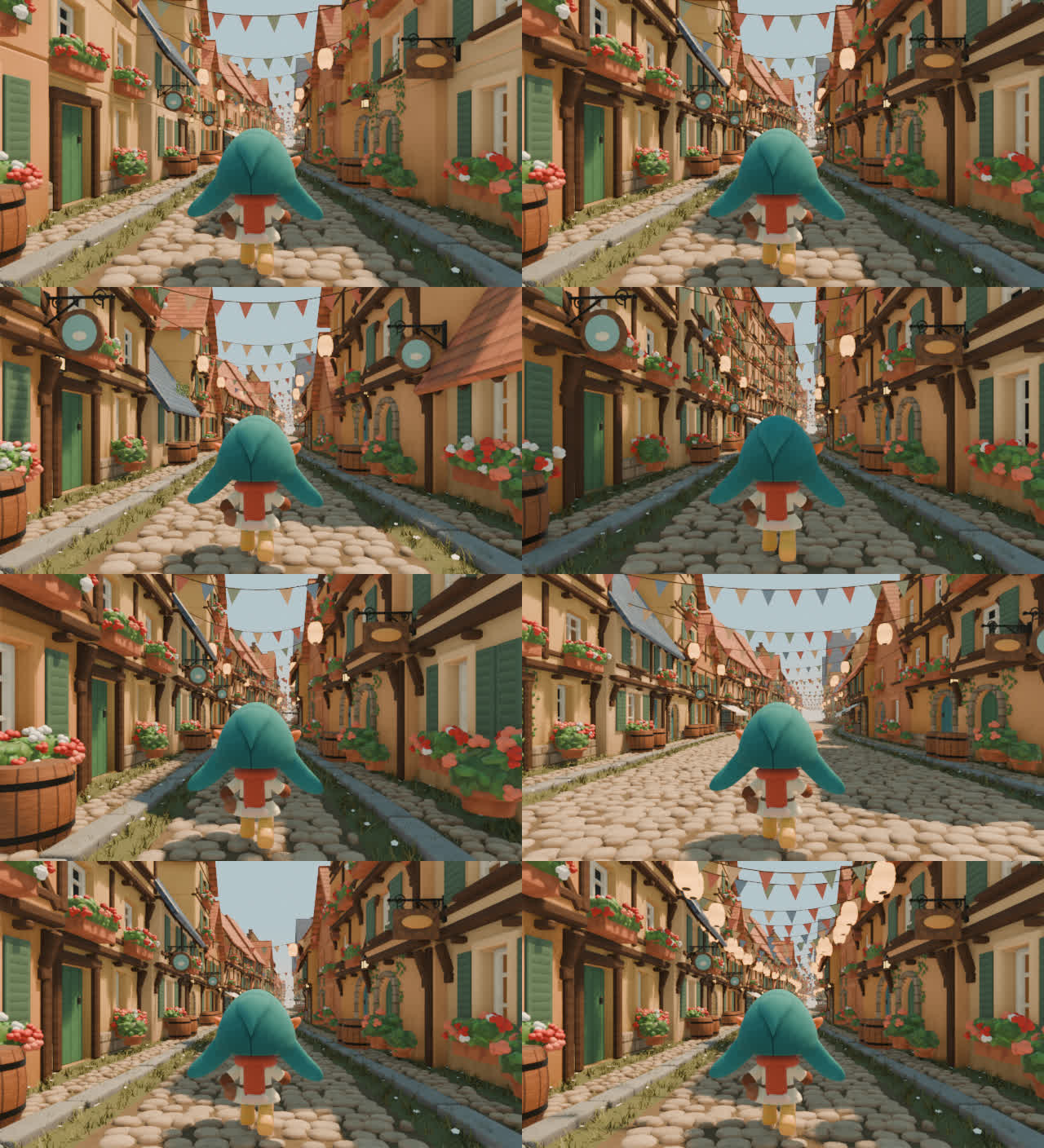
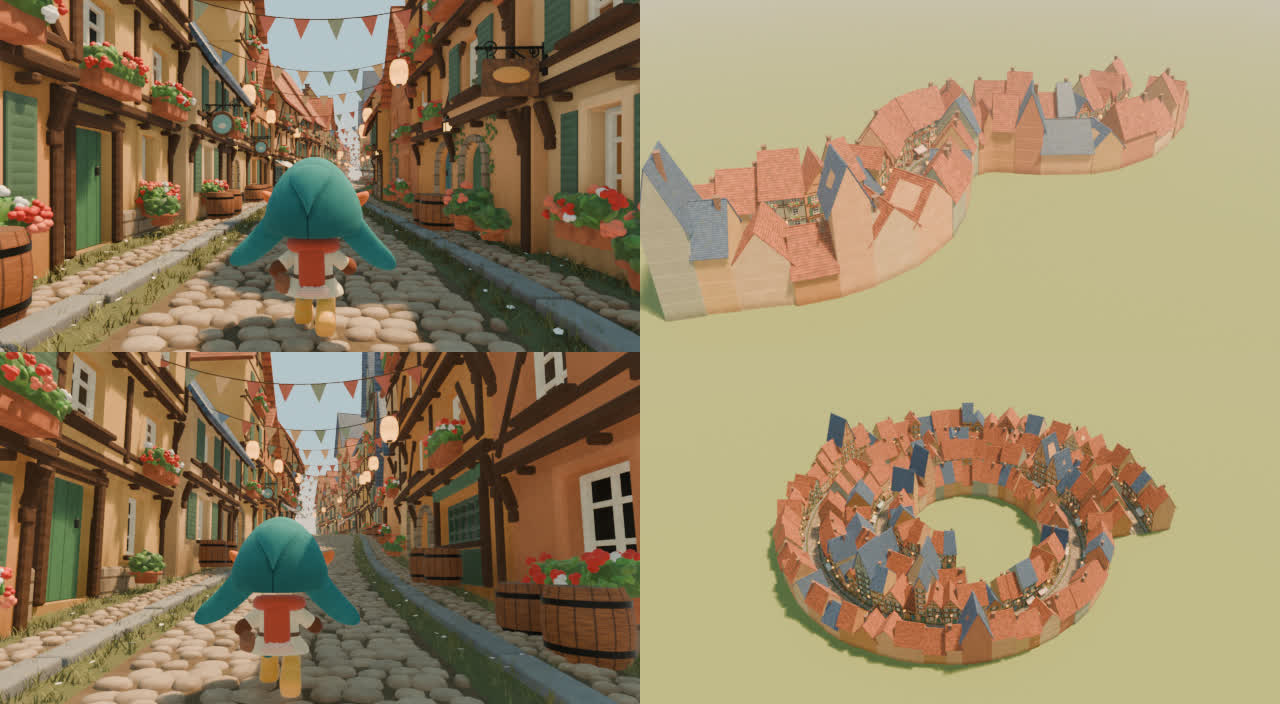
The AI-generated reference (top) and the reconstruction built from node graphs (bottom), at the same times.

Start by turning the video into a specification
As with Video 2 GLSL, the first step is to look at the frames rather than the filename. A 20-second dolly down a storybook street passes many houses, so the video describes a distribution more than a single picture: house widths, storeys, how often window boxes and signs appear, bunting spacing, walk cadence and camera behaviour.
The breakdown measures those numbers before any graph is built. For this clip, the walker moves at 0.90 character heights per second with 2.76 steps per second; the camera sits 0.895 heights above the ground, level, about two heights behind; the street is 3.0 heights from curb to curb. It also records what the AI-generated clip does inconsistently, such as facades that reshape while in view and a last fraction of a second that morphs back to the start, so the generator does not copy them.
Build the scene as node groups, part by part
The street is one Geometry Nodes modifier on a path curve. Inside it, each part is its own node group: the road, the houses, the props, the bunting and the walker. Every group places its pieces through a shared street frame (distance along the curve, offset to the side, height), so the same graph follows bends, hills and spirals.
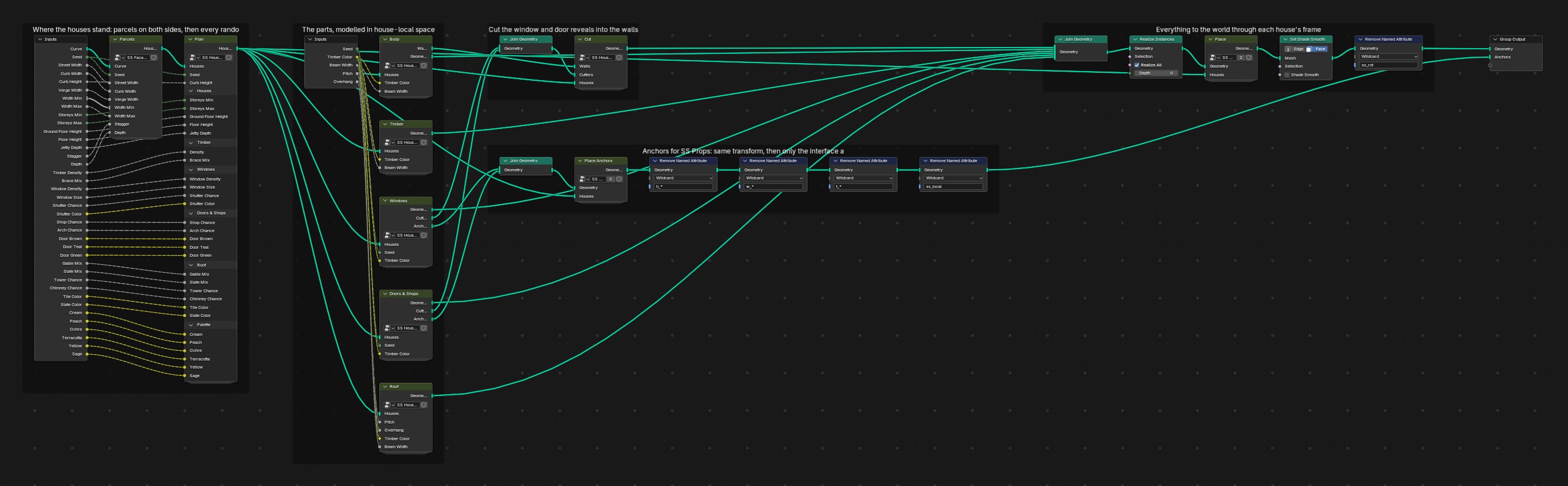
Each group is organised for reading: frames label each block with a sentence, reusable pieces become sub-groups, and every input has a description and a range. The top-level modifier exposes a Primary panel of eight controls, such as Timber Amount, Extra Storeys, Prop Amount, Festivity and Wind, and then detailed panels for each part.
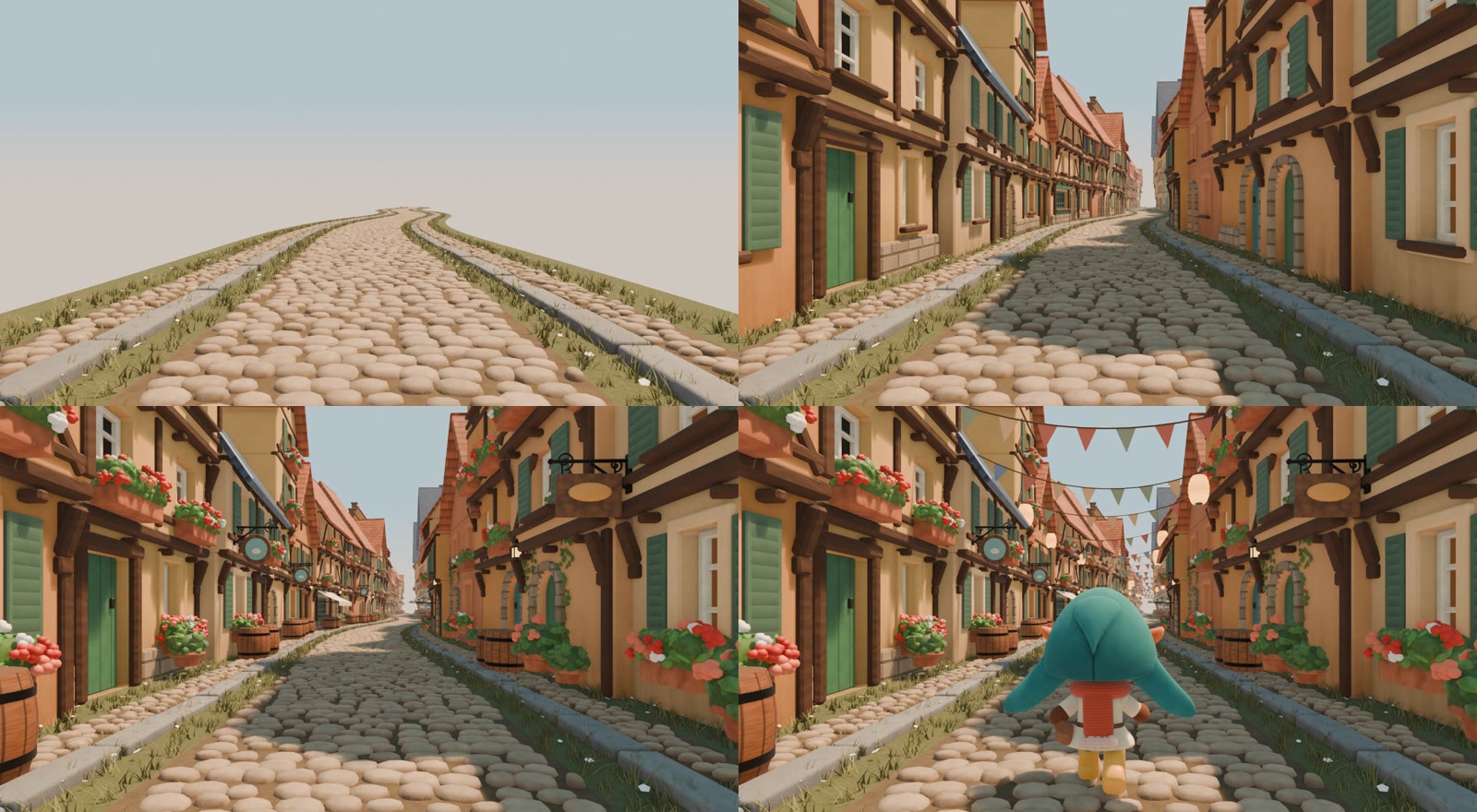
The same frame, built up part by part: road, houses, props, then bunting and the walker.
The top-level graph: one modifier builds the whole street.
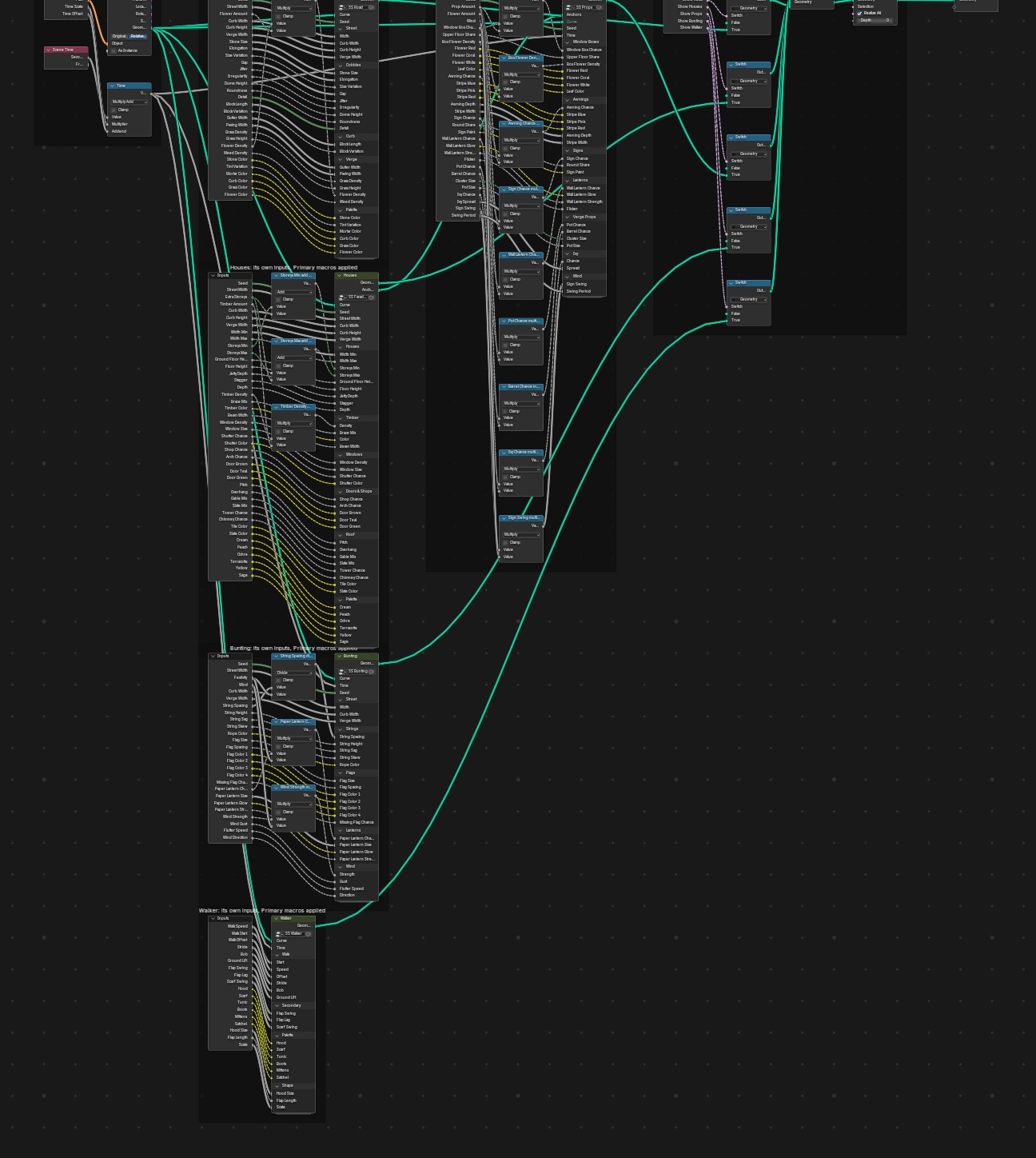
One part opened: the houses, framed block by block.
Materials, the sky and the final look are node graphs too. Per-piece variation reaches the materials through named attributes written in Geometry Nodes, the world shader draws the sky, and a compositor graph adds distance haze toward a warm horizon and a soft glow.
Shader Nodes for materials, the world shader for the sky, and the compositor for haze and glow.
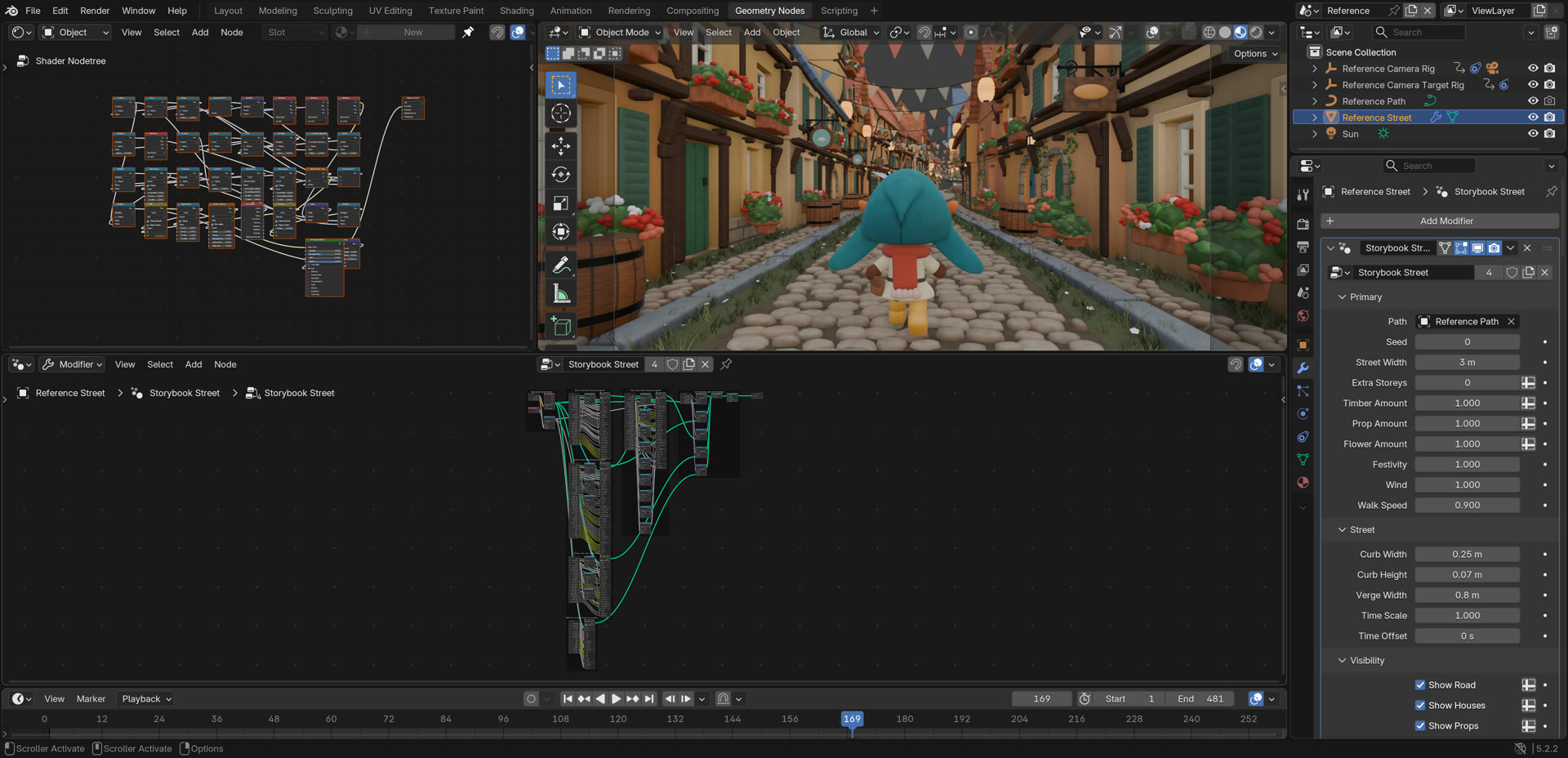
The project open in Blender: viewport, Shader Editor, Geometry Nodes editor and the modifier's Primary controls.

Give the agent tested node-building blocks
Agents writing Blender node scripts work blind, and Blender's Python API changed in 5.x. A script that runs can still leave a broken or unreadable graph: modifier inputs set the old way, a shared group rebuilt in place that silently unlinks its users, or one huge group with no structure.
The skill includes nodekit, a small Python builder that creates native nodes, connects sockets by name, declares inputs with panels and ranges, frames blocks and lays out the graph, then reads the result back for checks. On top of it sits a library of 39 tested node groups in six modules: curve placement, shapes, scattering, motion, materials and compositing.
Validation runs inside Blender. Every group must build with zero node warnings and pass a structural lint, and 59 numeric tests check behaviour that can be measured: curve frames stay orthonormal on hills, parcel widths sum to the curve length, scatter counts follow density, a planted foot does not slide, a spring's gain matches its formula, and a simulated growth front is frame-rate independent. These checks make the parts dependable; the finished scene still needs inspection.
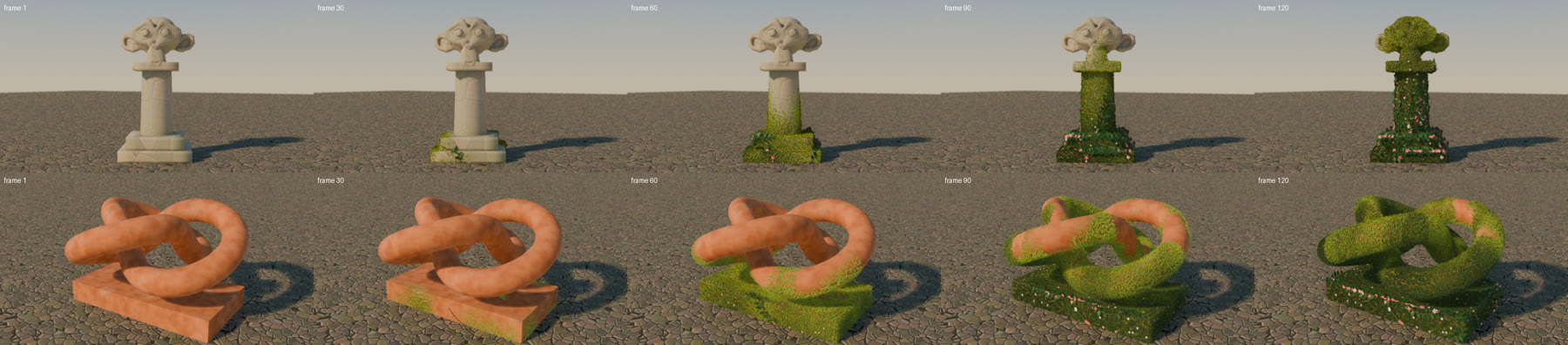
A template from the library: growth over any mesh, driven by a simulation zone.
Compare across time, then decide analytic or simulated
Reference and render are compared every half second over the whole clip, not on one attractive frame: colour and brightness by screen region, edge density, and how fast the image moves. Over the 20 seconds, the reconstruction's overall lightness is within 0.012 of the reference on the median, while the road highlights are still too bright and the sky strip less saturated. The rendered sequence is also checked for popping and flicker frame to frame.
Measuring motion also decides how it is built. The bunting in this clip barely moves, so wind is computed analytically from time, which keeps scrubbing and retiming exact. Simulation zones are used where the next frame depends on the last one, such as growth spreading over a surface.
Split the work by responsibility
The street was built by several agents working in parallel: reference measurement, comparison tooling, road, houses, props, bunting and walker. They shared written contracts: units, the street coordinate frame, input names, and an interface where the houses publish anchor points for windows, doors and walls that the props group places objects on.
As with Video 2 GLSL, someone has to judge the whole scene. Parts that looked right alone failed together: props were far too dense against real facades, and light that suited one part hid another. Every critique round was judged on the assembled build.
What becomes editable
Because the scene is a graph, its controls produce coherent variations rather than edits to one frame: change Timber Amount and the framing on every house changes; change Street Width and the houses move apart; raise Festivity and more bunting appears. Six presets come from the same graph.
One control at a time: Timber Amount, Extra Storeys, Street Width and Festivity.
Six presets of the same graph.
The same graph also runs on input it was not built for. Draw an S-bend, a climbing hill or a spiral, and it lays out a different street along it, with a follow camera that rides the same curve.
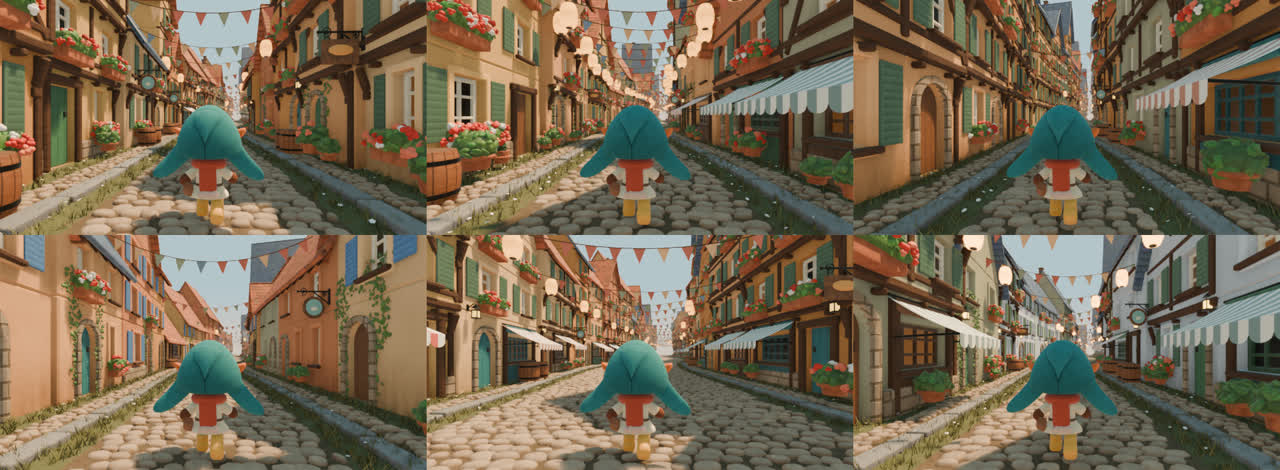
The same graph on other curves: the reference path, a hill, an S-bend and a spiral town.
What remains uncertain
The result is an interpretation, not a recovered ground-truth graph. The houses and props are different from the AI clip's, and the reference itself drifts. Some differences remain visible: forms are boxier than the reference's soft toy look, there are fewer large props near the camera, and the camera's focal length cannot be measured from the clip, so lengths along the street carry that uncertainty.
The graph is evaluated live, which keeps it editable but means animation re-evaluates the scene every frame. The follow camera's clearance was checked on four curves, not proven for every curve. And so far this is one complete worked example; the workflow's reliability across very different footage still needs broader testing.
Try it with your own reference
For Claude Code, add the marketplace and install the plugin:
claude plugin marketplace add gokayfem/video-to-blender claude plugin install video-to-blender@video-to-blender
For other supported agents:
npx skills add gokayfem/video-to-blender
You need Blender 5.2 or later. Use prompts/reference-to-nodes-prompt.md with a reference clip, images or a written description, and review the breakdown before the build begins. Storybook Street, with its measurements, comparison and remaining differences, is in prompts/storybook-street.
Video 2 GLSL turned an imagined video into executable mathematics. Video 2 Blender Nodes aims for something an artist can keep using: the procedural tool that makes the animation.
Repository: github.com/gokayfem/video-to-blender